Rules around scanning and storing ID information vary by state, province, and country. Before rolling out an ID scanner, businesses should confirm what applies in their location and choose a provider that can speak clearly to compliance requirements.
By Adam Berent – Director, Software Development at Patronscan
An ID scanner reads information from a driver’s licence, passport, or other government-issued identification document and helps businesses verify details such as name, date of birth, and expiry date. Depending on the system, an ID scanner may also perform additional checks to identify potentially fake or altered IDs.
The process usually takes a few seconds: the scanner reads the ID, extracts its information, performs available verification checks, and displays the results to the operator, helping staff decide whether an ID is real or fake.
However, not all ID scanners work the same way. A basic barcode scanner reads the information encoded on an ID, while an advanced ID verification system, like the Patronscan Guard+, can perform additional checks to help authenticate and identify suspicious or fraudulent identification.
How an ID Scanner Works: 4 Steps
Step 1: The ID is scanned
Many driver’s licences and government-issued IDs have a barcode on the back. An ID scanner reads this barcode and, depending on customer’s privacy system, can pull information from it, such as:
- Name
- Date of birth
- ID number
- Expiry date
- Address
- Other information stored in the barcode
Some scanners can also read passports or other types of identification by reading the machine-readable zone (MRZ) printed at the bottom of the passport’s photo page instead of a barcode.
Step 2: The Scanner Reads the Information
Once the ID is scanned, the software reads the information stored on the card.
This is faster and more accurate than asking a staff member to type the information by hand, which reduces human error. It can also quickly calculate the person’s age and check whether the ID has expired, with a high degree of accuracy.
For example, a bar can use the scanner to help confirm that a guest is old enough to enter.
Step 3: The ID May Be Checked for Signs of a Fake
Not all ID scanners work the same way. A basic scanner may only read the barcode. This can confirm what information is stored on the card, but it does not always mean the ID itself is real.
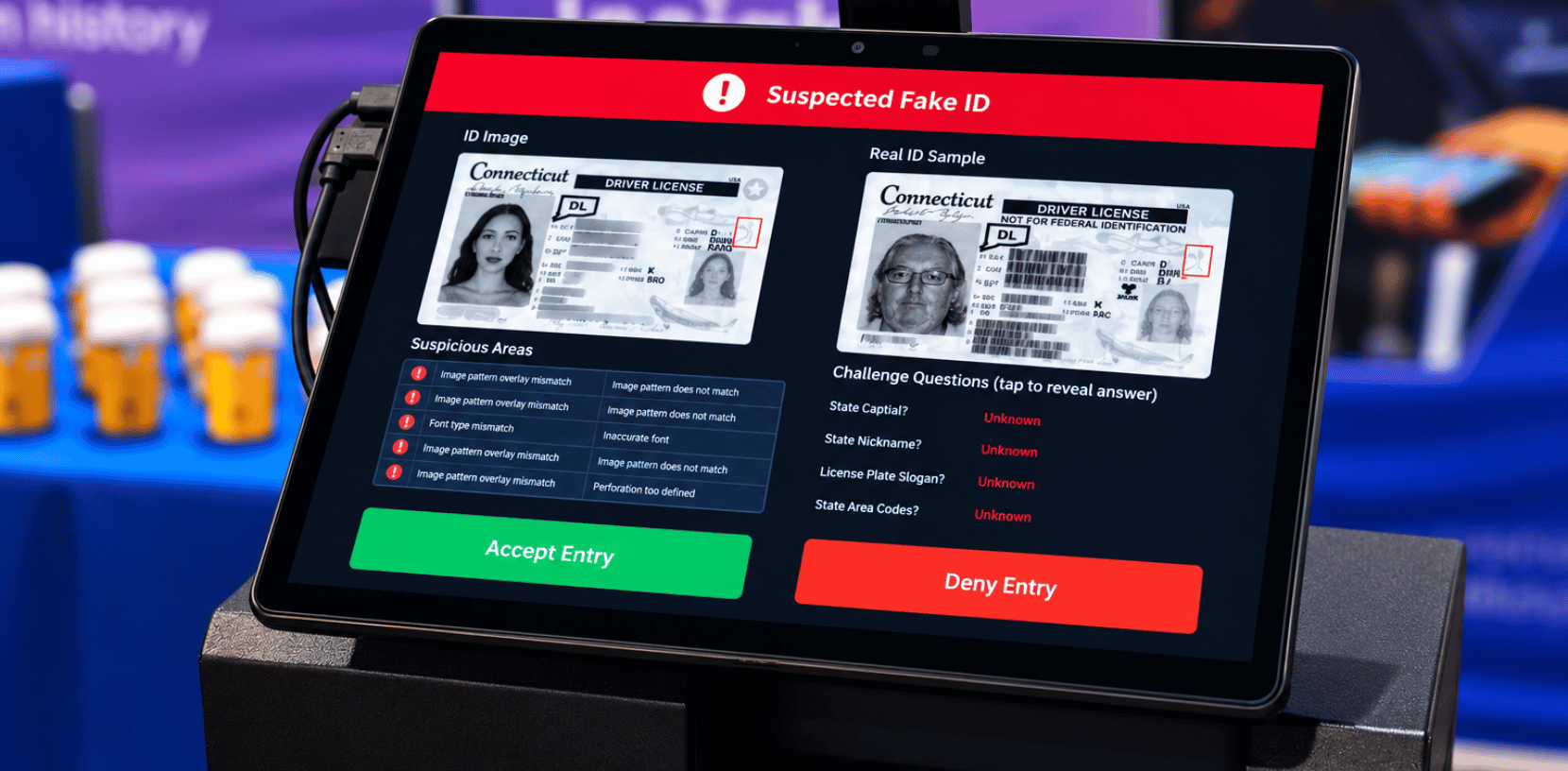
More advanced ID scanners, such as the Patronscan Guard+, can perform extra checks. They may look at the barcode format, forensic security information on the card, such as holograms, UV light, or the document’s security template, or other details that can help identify a fake or altered ID. Some systems also compare the data encoded in the barcode with the data printed on the card and flag any discrepancy or anomaly between the two.
Patronscan performs these checks automatically every time an ID is scanned, helping catch fakes even as forgers produce increasingly sophisticated, high-quality fake IDs.
Step 4: The Scanner Shows the Result
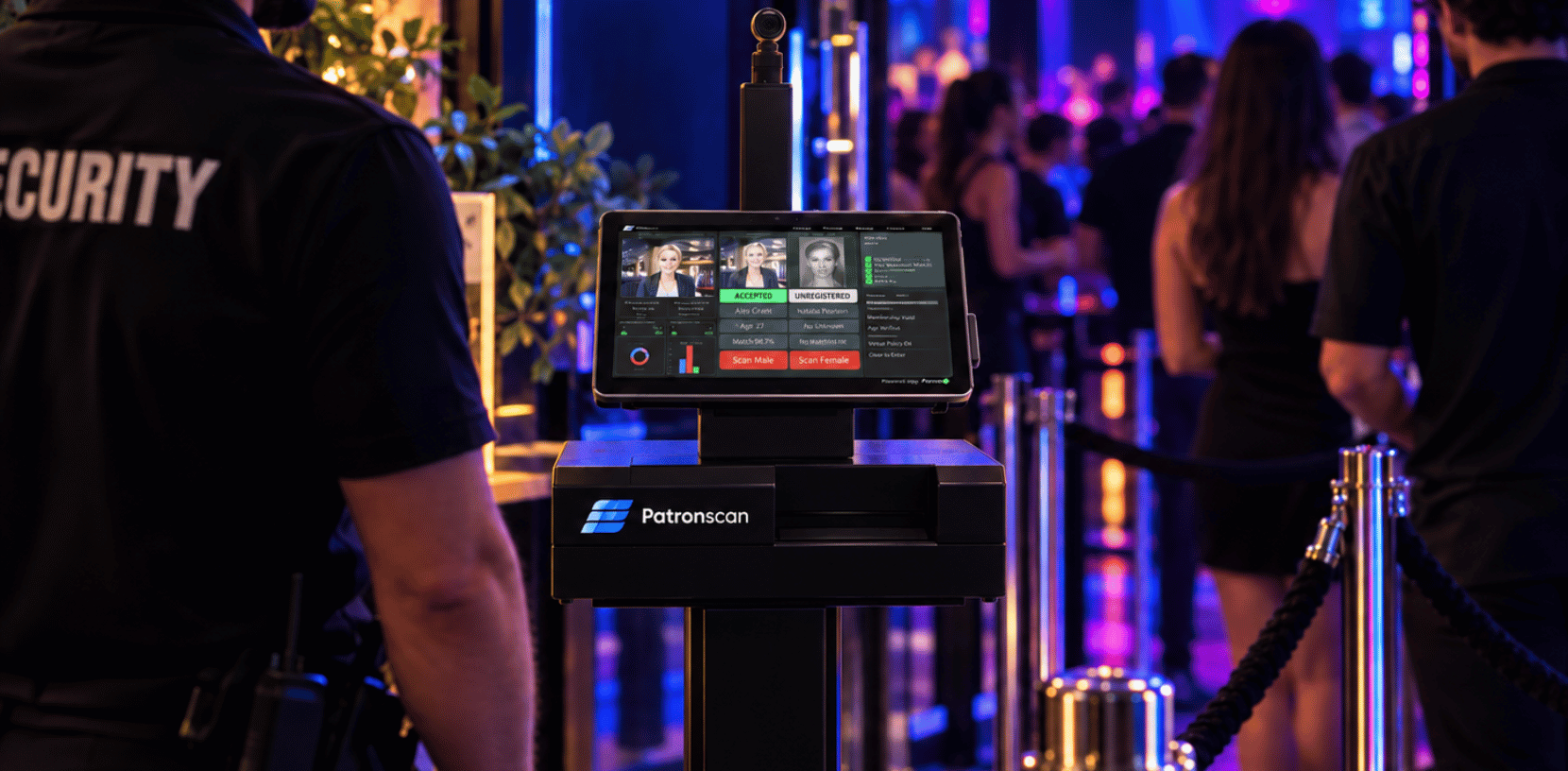
After the scan is complete, the system shows the operator the result. Depending on the system and configuration, it may show information such as:
- The person’s age
- Whether the ID is expired
- Whether the information was read correctly
- Whether the ID passed additional verification checks
- Whether the person matches an existing alert or flag
The person using the scanner can then decide what to do next.
An ID scanner is a tool to help staff make better decisions. It does not replace the need for staff to compare the person standing in front of them with the photo on the ID.
What Is the Difference Between a Barcode Scanner and an ID Verification Scanner?
This is an important difference when choosing an ID scanner.
A basic barcode scanner reads information stored in a barcode. It does not automatically prove that the identification document is genuine.
An ID verification scanner does additional checks to determine whether the ID appears to be valid, essentially performing ID authentication to validate the document.
A scanner that can read a barcode is not automatically a fake ID detector or able to catch fake IDs on its own. Fake IDs can sometimes contain barcodes that look normal when scanned.
If detecting fake IDs is important for your business, ask the ID scanner provider what checks happen beyond simply reading the barcode.
How Does Patronscan Check IDs?
Patronscan is an ID scanning and verification solution designed to help businesses check identification, verify IDs quickly, identify potentially fake IDs, and support safer entry.
Unlike a basic barcode reader, Patronscan uses additional checks to help identify suspicious identification and catch fake IDs that a simple barcode scan alone would miss. Its technology performs more than 8,500 forensic checks, depending on the product and verification process used, checking security features such as UV and infrared markings, white light inspection, microprinting, and document-specific templates against a library of more than 14,000 ID types.
What Else Can an ID Scanner Do?
Modern ID scanners can do much more than check age.
Depending on the system, businesses may also use an ID scanner to:
- Track the number of people entering a venue
- Help identify people who have previously caused problems
- Manage private watchlists or flags
- Check guests into events
- Support loyalty or VIP programs
- Create records for security investigations
- Help prevent fraud
- Manage access to restricted areas
- Run as a standalone unit or connect to broader ID scanning software and a shared flag network
The features you need will depend on where the scanner is being used.
A nightclub may care about age verification, fake ID detection, and security alerts. A casino may need strong identity verification and watchlist tools. A retailer may use an ID scanner to help prevent theft or fraud, and some venues prefer a portable, handheld unit that staff can carry to different entry points, or a mobile device or smartphone paired with dedicated scanning technology.
Do ID Scanners Store Personal Information?
Some ID scanners store information after a scan, while others may only use the information for a short period of time.
The answer depends on the system, how it is configured, and the laws that apply where it is being used.
Businesses should understand what information is collected, why it is collected, how long it is kept, and who can access it. A good ID scanner provider should be able to clearly explain its privacy and data security practices, and your responsibilities in the overall process.
How Long Does an ID Scan Take?
Most modern ID scanners can complete a scan within a few seconds.
This can make checking IDs faster during busy periods. It can also create a more consistent process because every ID can go through the same basic checks.
Speed matters in places such as bars, nightclubs, casinos, events, and other locations where many people may arrive at the same time.
How to Choose an ID Scanner?
An ID scanner works by reading information from an identification card and helping the operator check important details such as age and expiry date. More advanced scanners can also perform additional checks to help detect fake IDs, manage security alerts, and support other business needs.
When comparing ID scanners, do not only ask whether the system can scan an ID. Ask what it checks, how it handles personal information, how quickly it works, and what tools it provides for your specific environment.
How Does Patronscan Handle ID Scanner Privacy and Security?
Patronscan is built around collecting the minimum amount of information needed to complete a verification, rather than gathering everything a card contains by default. Systems are configured to align with the data protection and privacy regulations of the jurisdiction where they’re used, and access to any stored information is limited to authorized users at the business level.
Privacy shouldn’t be an afterthought in a system built to protect people. Businesses evaluating an ID verification provider should feel comfortable asking direct questions: what data is collected, why it’s needed, how long it’s retained, who can access it, and what happens if that access is ever misused. A provider that can answer those questions clearly, rather than vaguely, is one worth trusting with something as sensitive as identity data.
Frequently Asked Questions About ID Scanners
Can an ID scanner guarantee that an ID isn't fake?
No system can guarantee this with complete certainty. A scanner that only reads the barcode confirms what’s printed there, not whether the card itself is genuine. Systems that perform additional forensic checks, such as Patronscan, significantly reduce the risk of accepting a fake, but staff should still compare the ID photo to the person presenting it.
Cost depends on what the system does. A basic barcode reader costs less than a system that also performs forensic verification, flags known offenders, or connects to a shared watchlist network. It’s worth comparing providers based on the checks performed, not just the sticker price.
Can ID scanners read passports, not just driver's licences?
Some ID scanners can read passports and other government-issued ID types in addition to driver’s licences. This varies by system, so it’s worth confirming which document types a provider supports before purchasing.
Do employees need training to use an ID scanner?
Yes, at least briefly. An ID scanner is a decision-support tool, not a replacement for staff judgment. Employees still need to know how to interpret the results the system shows and how to compare the ID photo to the person in front of them.
Does an ID scanner need an internet connection to work?
This depends on the system. Some functions, like reading a barcode, may work offline, but features such as checking against a shared flagged-person network or receiving software updates typically require connectivity. Devices such as the Patronscan Handheld Series 2, for example, can run on Wi-Fi or cellular connectivity. Ask your provider which features need an internet connection and which don’t.
What Types of Identity Documents Can an ID Scanner Read?
Most ID scanners are built to read a wide range of identity documents beyond a standard driver’s licence, including state IDs, military IDs, green cards, and passports. Patronscan’s platform, for example, verifies more than 14,000 ID types worldwide, covering government-issued identification from most U.S. states, Canadian provinces, and dozens of other countries. Businesses that handle a lot of out-of-state or international IDs should confirm how many document types and security templates a scanner actually supports before choosing a provider.
Featured Resources