You’ve seen it at the airport – that small glowing slot where someone slides your driver’s license or passport. In the couple of seconds before it beeps, it’s fair to wonder: what is an ID scanner doing that a careful person couldn’t?
Quite a lot, as it turns out. Turning a piece of plastic into trustworthy data takes a bridge from the physical world to the digital one. Rather than just snapping a photo, a modern ID scanner runs a quick three-step routine: it reads the physical card, translates the printed text into digital data, and checks that the details on the front match the hidden data stored in the barcode on the back.
The reason this matters is simple. Checking documents by hand is slow, and it’s no match for today’s sophisticated fakes. Automated ID verification turns a tired guess at the end of a long shift into a precise, consistent check. Because software doesn’t get distracted or fatigued, it calculates age instantly and catches the small discrepancies a person would easily miss.
What is an ID scanner?
An ID scanner is a device that reads a government-issued ID, such as a driver’s license or passport, converts the printed and barcoded information into digital data, and verifies the document’s authenticity and the holder’s age in seconds. It does this far faster, and far more consistently, than a manual check by eye.
How scanners “read” your ID without human eyes
It’s easy to assume a scanner just takes a picture, but a photo doesn’t tell a computer your name or date of birth. That information has to be extracted and understood.
To do that, ID scanners use Optical Character Recognition, or OCR. Think of OCR as a fast, reliable translator: it looks at the printed text on your card and converts those shapes into actual data a system can work with.
The front of the card isn’t the only place that happens. Flip your license over and you’ll find a dense, static-like block. That’s a PDF417 barcode. Unlike the simple stripes on a grocery item, it holds a compressed digital copy of everything printed on your ID. Reading both the front and the back lets the scanner cross-reference the two against each other in an instant, which is exactly how it spots problems a quick glance never would.
Spotting fakes: why scanners catch what people miss
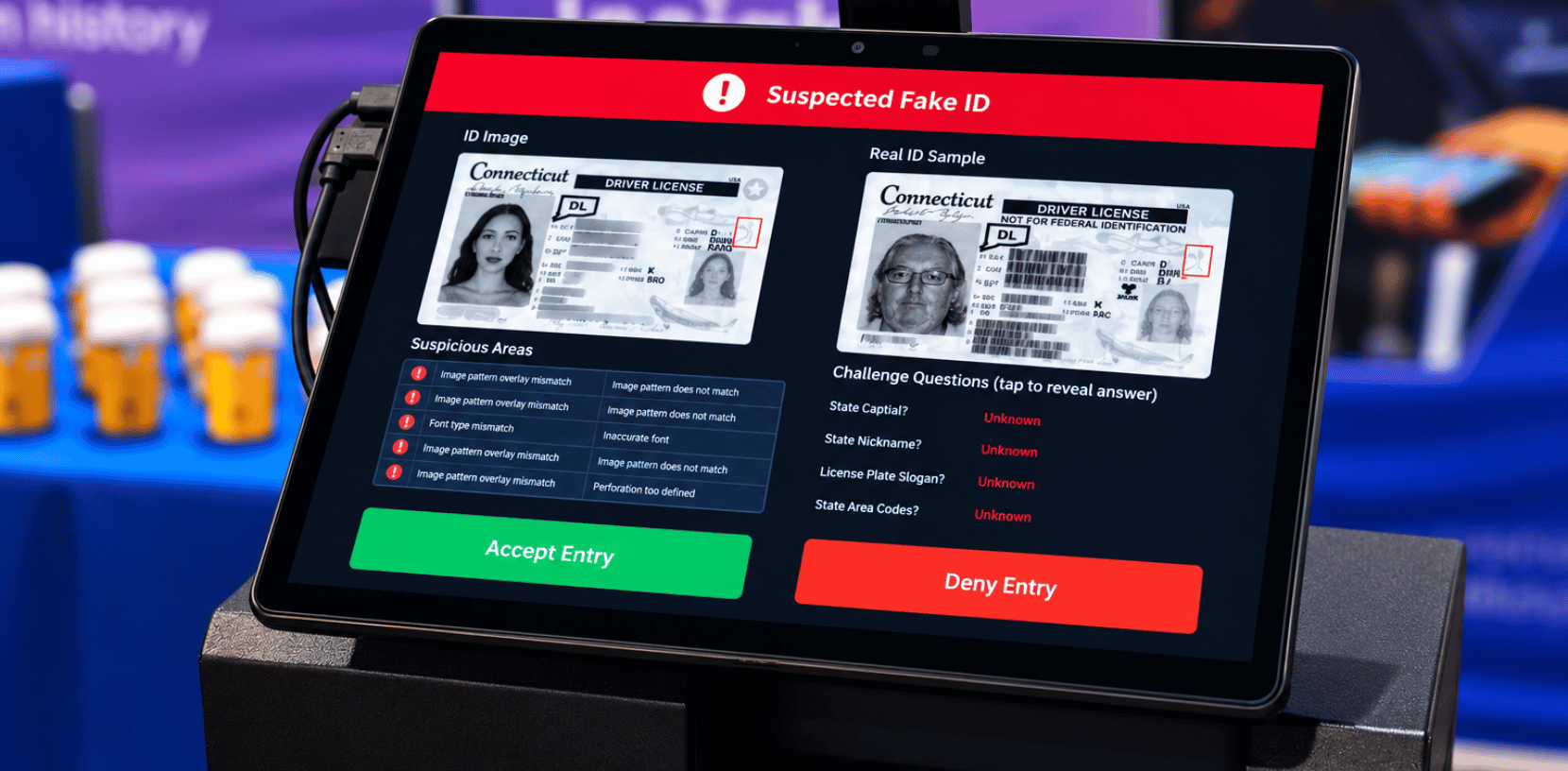
Checking IDs by hand leaves a lot of room for error, especially with the “Frankenstein IDs” counterfeiters make today. They are forgeries that stitch together real, stolen information with an altered birthdate or a swapped photo to fool a fast look. A busy doorperson might miss a cleanly changed digit. A scanner won’t, because it does something people can’t: it compares the printed details on the front to the encoded data on the back, every single time.
When something doesn’t line up, the system flags it. Three of the most common giveaways:
- Mismatched data: the printed details on the front don’t match the digital record on the back.
- Invalid checksums: a checksum is a small built-in math check; alter even one character and the math no longer works.
- Incorrect formatting: the barcode’s internal layout breaks the strict, invisible standards each state follows.
The result is a verification that’s far more accurate than the human eye and far more consistent, shift after shift. The right hardware for the job, though, depends on where you’re doing the checking.
Handheld vs. desktop scanners: choosing the right tool
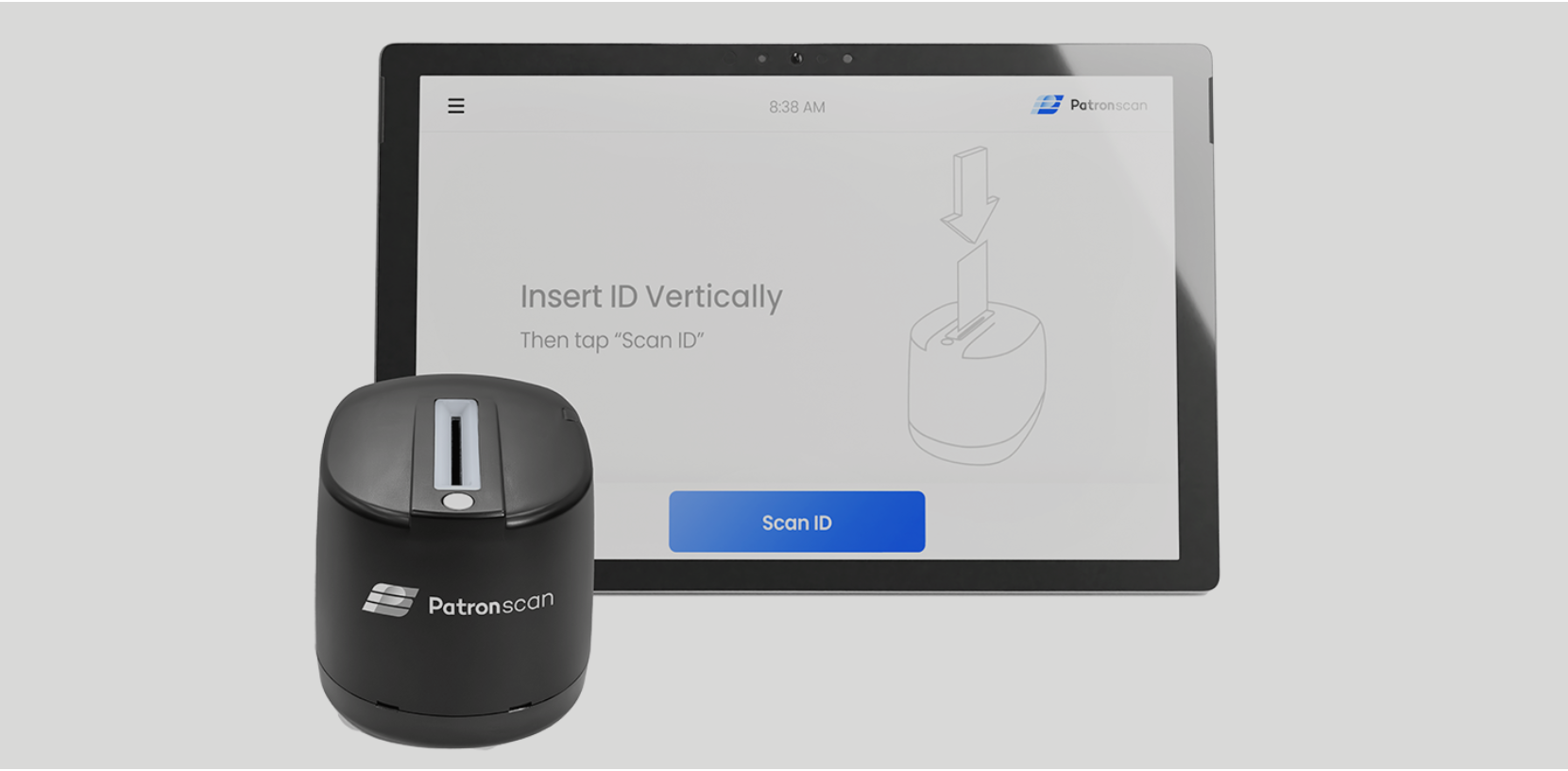
Where you check IDs largely decides the hardware you need. A plugged-in unit is perfect at a well-lit hotel front desk, but a security guard working an outdoor concert line needs something else entirely. Before choosing between handheld and desktop scanners, it’s worth looking at your space and how fast your line moves.
Smaller businesses and mobile teams can use handheld ID scanning devices, using the device’s camera to read barcodes, which is ideal for delivery drivers or pop-up event staff handling a few dozen IDs a day.
High-traffic places like airports or downtown bars lean on stationary units, because they’re moving hundreds of people an hour and need uninterrupted power and durability. Either way, mobile or desk unit, the scanner will eventually meet a document with no standard barcode at all: an international passport, with those curious lines of text along the bottom.
Decoding the MRZ: how scanners handle passports
Open any passport and you’ll see blocky text full of numbers, letters, and “<” symbols at the bottom of the photo page. That’s the Machine Readable Zone, or MRZ. Because identification formats vary so widely around the world, borders needed one universal language, and standardizing this zone lets verification tools read a document instantly, no matter where it’s from.
An MRZ reader works like a high-speed translator, reading those specific lines of text rather than a barcode. It pulls the essentials using a strict global formula with three core parts:
- Document type: whether it’s a passport, visa, or national ID.
- Country code: the nation that issued it.
- Personal data string: name, date of birth, and expiry details, compressed together.
Reading these documents quickly is what keeps lines moving at busy hotel check-ins and border crossings. And the same digital checks work just as well closer to home, verifying ages and helping businesses avoid serious legal penalties.
Staying legal: preventing underage sales and fines
Selling a bottle of wine feels routine, but for a business it’s a high-stakes legal test. A cashier has to do quick mental math to work out a customer’s age, and human brains stumble on that, especially in a loud, busy room.
This is where automated verification does the heavy lifting. The scanner reads the date of birth and calculates the exact age in a fraction of a second, turning a stressful judgment call into a clear green or red light on the screen. For nightlife venues and dispensaries, that reliability isn’t a nice-to-have, it’s essential.
Just as importantly, scanning creates a record. By logging that an ID was physically checked, a business builds the kind of documentation that helps defend it against costly fines if a question ever comes up. Which raises a fair question of its own: what actually happens to your information after the beep?
Your privacy: what happens to your data
Here’s something worth knowing: handing your physical license to a person exposes more about you than a good scanner ever needs to. A responsible system reads what it needs to confirm your age and identity, holds it only as long as necessary, and deletes it.
When a record does need to be kept, encryption protects it, scrambling the details into unreadable code so the file is useless to anyone who shouldn’t have it. And privacy laws set the rules on top of that: regulations like the CCPA mean a business can’t quietly sell your information or hold onto it forever, and you have the right to ask what’s held and to have it deleted.
At Patronscan, this is the part we care about most. The goal of verification is to keep people safe, not to surveil them, so protecting the data we handle is as important to us as catching a fake. Knowing those protections are in place is what makes that quick flash of light a lot less intimidating.
Beyond the beep: connecting scanners to your software
Many checkout counters now run IDs through a scanner that talks directly to the register. Connecting a scanner to your point-of-sale system lets the software confirm age for restricted purchases automatically.
That connection also doubles as a fast, error-free data entry tool. Instead of an employee typing a customer’s details by hand to enroll them in a loyalty program (where typos creep in constantly) the scanner captures it cleanly, replacing four slow manual steps at once:
- Typing names
- Checking expiration dates
- Verifying age
- Creating guest profiles
The same technology reaches well beyond the retail counter. Offices and secure facilities use it to turn a tedious paper visitor logbook into a fast, secure digital check-in. Connected the right way, these systems speed everything up while keeping security tight.
Choosing the right identity solution
The next time you hand over your license, you’ll see more than a card sliding into a machine. An ID scanner replaces guesswork with speed, accuracy, and real legal protection.
If you want that in your own business, the first step is simply understanding how your team works. Look at your daily customer flow and decide between a stationary desktop unit for a traditional front desk or a handheld scanner for staff on the move. A solid hardware foundation also sets you up for what’s coming next: as phones start to replace physical wallets, mobile driver’s license scanning will become the new standard.
Because in the end, this technology isn’t only about catching fakes. It’s about making everyday moments such as getting into a venue, buying a round, and checking into a hotel, smoother, faster, and safer for everyone involved.
Want to see how Patronscan brings this to your venue? Learn more about our ID scanning solutions